Cut-out photo dialogue video — Cut-out photo style
Make a video with cut-out photos: black-and-white people as stickers on a blue-violet gradient, a navy title that drops on the word and a VS split screen.
包含于 Starter 套餐,提供全部 81 种风格以及您自己的风格 · 预览由 ClipOnIt 引擎渲染
此风格的外观
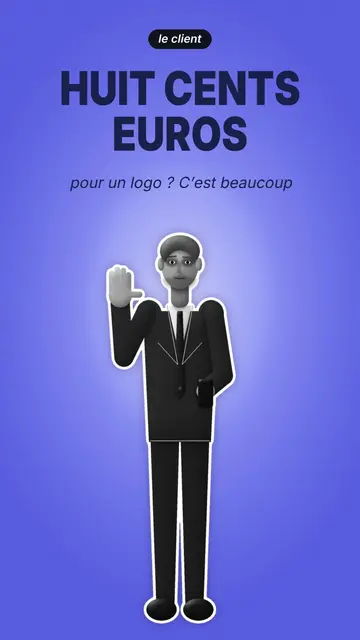
Cut-out photo stages black-and-white people, cut out like stickers with a thick white outline, on a blue-violet gradient crossed by a light halo. A black pill says who is speaking, “the client” or “the freelancer”, and the narration is written in thin letters. The character changes pose: neutral, arms crossed, hand raised to say stop, hand on the head to think, or arm out to show an object.
The big navy condensed title drops word by word, behind or in front of the character, to create depth. The camera goes from a full-body shot to a close-up, then to a VS split screen where two characters face each other with a badge dropping on the word. Cut-out props pop on the spoken word: a contract, a pen, a laptop, a phone, a folder, banknotes. Shot changes happen with blurred fades.
适合的主题
Avoid: topics that need places, landscapes or diagrams: the background stays a plain gradient. Also avoid topics with more than two people; the style is made for a face-off or a single narrator.
- Client and provider dialoguesThe two characters face to face replay the negotiation every freelancer knows.
- Business and salesThe contract, banknotes and pen popping make money and the deal concrete.
- Objections and misconceptionsThe raised “stop” hand and the dropping title set out the objection before answering it.
- “VS” comparisonsThe split screen with the VS badge pits two views against each other in one image.
这种风格的视频创意
- €800 for a logo, too expensive?
The client with a raised hand, the freelancer showing the folder, then the VS and the banknotes popping.
- 3 sentences that scare a client away
The close-up, the title dropping in front and the client with arms crossed.
- Sign a quote without getting fooled
The contract popping, the pen and the thoughtful pose before signing.
- Employee vs freelancer
The VS split screen, the laptop on one side, the banknotes on the other.
1 次点击即可获得
- 打开此风格的链接
点击“以此风格创建视频”按钮,即可打开编辑器,并已选好这种风格。没有账户的话,注册只需一分钟,无需绑定银行卡。
- 用一句话写下你的主题
一个创意就够了。你也可以粘贴文字,或在 Starter 方案中对着麦克风旁白:视频会基于你的声音生成。
- 检查,然后渲染
AI 编写场景,选取风格元素,并根据台词安排时间,同时配上配音和字幕。你可以修改不合适的地方,几分钟后即可获得竖屏 MP4。
您可以调整的内容
For each scene you pick who speaks among your characters, the shot (full body, close-up, VS or end), the pose, the prop popping on the word (contract, pen, laptop, phone, folder or banknotes), the two characters of the VS and the badge word, and whether the title sits in front of or behind the character.
常见问题
是否免费、输出格式和用途:简短解答。
Are the people real photos?
No, they are characters drawn by the engine with a cut-out black-and-white photo look. No real person is shown.
我可以使用自己的声音吗?
Yes. Record yourself or import your audio: the title drops and the props pop on your words.
How is it different from Neon silhouettes?
Neon silhouettes shows black silhouettes with glowing eyes on a neon checkerboard. Cut-out photo uses black-and-white people as stickers, in a face-off.
这种风格包含在免费方案中吗?
不,它随 Starter($29/月)提供:每月 15 个无水印视频,全部 81 种风格,外加你自己的风格。免费方案每月提供 3 个带水印的视频,以及其他 8 种风格:Pixel News、Press paper、Comedy cartoon、Class sketch、Night tale、Social screen、Retro synthwave 和 Flat vector。
如果您喜欢这种风格
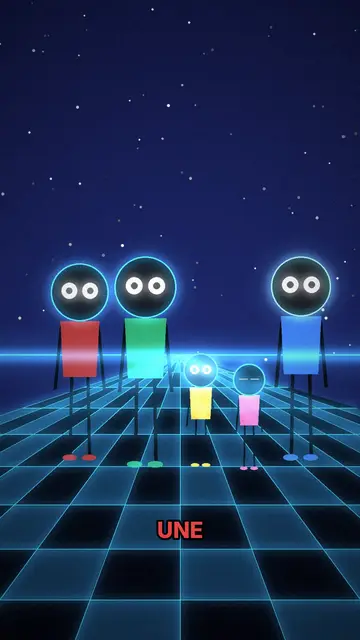
霓虹剪影动画
霓虹剪影风格 · 发光眼睛的剪影,置于霓虹棋盘格背景上。
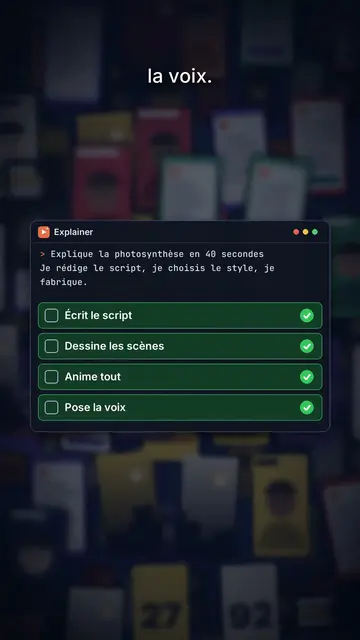
Content creator video
Thumbnail wall style · A midnight blue wall of video thumbnails in depth, a zoom through the wall, gold numbers.
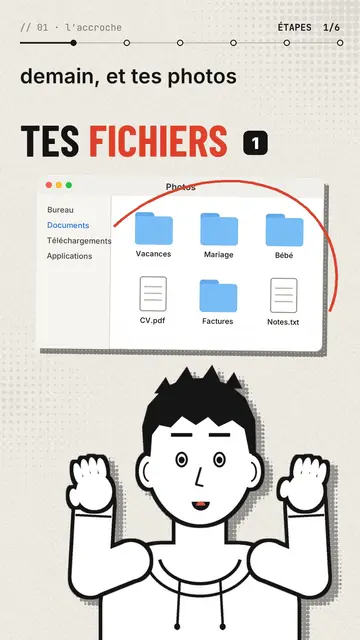
Comic avatar explainer video
Editorial avatar style · A bold-line comic narrator changes pose with each sentence, stickers pop on the word.